Case Media
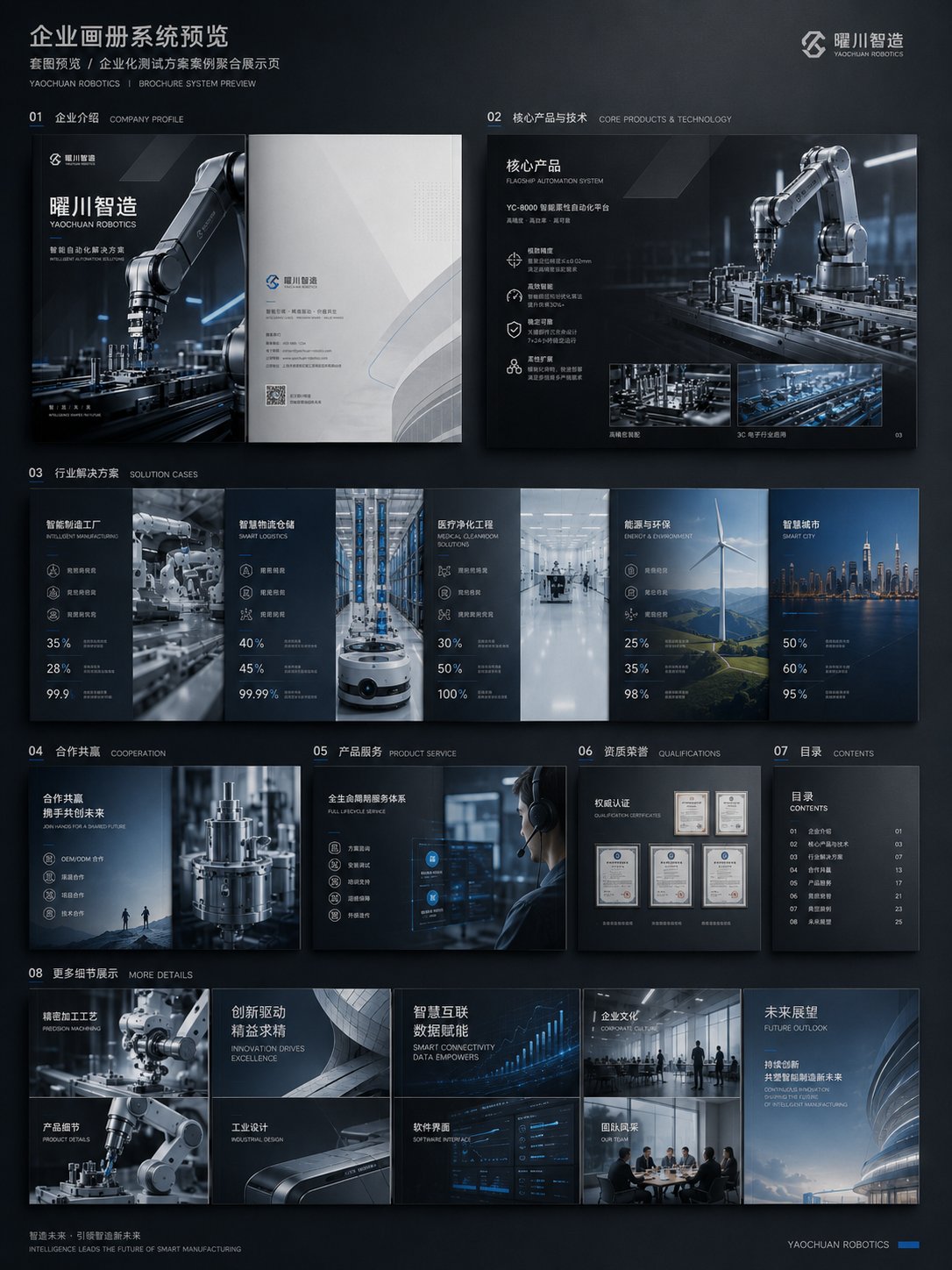
Case Notes
This page keeps the media, full prompt, and original source together so you can inspect the result first and decide whether the prompt is worth copying, saving, or comparing.
Case Insights
To make this page easier to search, cite, and reuse later, the case is also broken down into practical guidance about usage, visual cues, and prompt structure.
Best Fit Scenarios
- Use this as a poster & illustration benchmark when you need a fast style baseline before rewriting your own prompt.
- It is especially helpful if your target overlaps with Poster, Illustration, Minimal and you want to judge the image result before tuning wording.
- Keep it as a control sample when you compare nearby prompt variants one variable at a time.
Visual Signals To Notice
- The clearest style signals here are Poster, Illustration, Minimal, so those should usually stay in your first rewrite.
- Pay close attention to layout rhythm, headline hierarchy, illustration texture, and how information is staged in the frame.
- This case keeps one primary output, so the first image should be treated as the main visual reference.
How The Prompt Is Structured
- The prompt reads as a medium-detail prompt with clear visual constraints, which is useful when you want to judge how much specificity this direction needs.
- Its keyword cluster is centered on Poster, Illustration, Minimal, so you can usually keep that cluster while swapping subject, camera, layout, or copy details.
- A practical rewrite path is: keep the outcome, keep the strongest style cues, then replace only the subject and environment blocks.
Good Follow-up Questions
- What changes first if you keep Poster, Illustration, Minimal but switch the subject matter?
- Which part of the result comes from section-level structure (Poster & Illustration) versus tag-level style cues?
- Which related cases in the same section give you a cleaner or more extreme variation of the same direction?
Full Prompt
请生成一套企业级商用画册视觉方案,主题为【品牌名称】的【行业 / 产品 / 解决方案】宣传画册。 整体风格:高端、专业、具有强视觉冲击力;避免传统 Word 排版感和普通 PPT 感。采用【深色科技美学 / 白色极简商务 / 高端工业风 / 艺术化品牌画册】风格。 画册内容包括: 1、封面与封底 2、企业介绍与品牌理念 3、核心产品与技术优势 4、应用场景与解决方案 5、客户案例与合作方式 6、全册系统预览图 要求: 版式要有设计感,图片、标题、数据、图标、留白和层级关系清晰;保持整套画册统一的品牌视觉系统;重点体现真实商业物料的完成度,避免简单文字排版。 结构规划: 1、封面 / 封底:建立品牌门面、行业气质和整体视觉调性。 2、企业介绍页:说明公司定位、能力边界和服务对象。 3、产品技术页:展示核心产品、技术优势和解决方案。 4、应用场景页:让用户看到产品能用在哪些行业。 5、案例 / 合作页:补充可信度和商业转化信息。 6、全册系统预览:验证风格统一性和整本画册的系统感。 如果已有企业资料,可以上传旧版企业画册、公司介绍文档、产品说明书、官网内容、PPT 提案、产品图片或案例图片,让 ChatGPT 完成三件事: 1、重新梳理内容结构,判断哪些内容适合做封面、企业介绍、产品页、案例页和合作页。 2、提炼画册主线,避免只堆资料,需要形成清晰的商业叙事。 3、统一视觉方向,让整本画册看起来像同一个品牌系统,避免不同页面拼贴感。 避坑: 1、避免一上来只说“生成一本画册”,否则容易变成模板图。 2、避免只堆文字,画册一定要有产品视觉、场景图、数据模块和设计层级。 3、避免只生成单页,最好补一张全册预览图,才能体现完整系统感。