Case Media
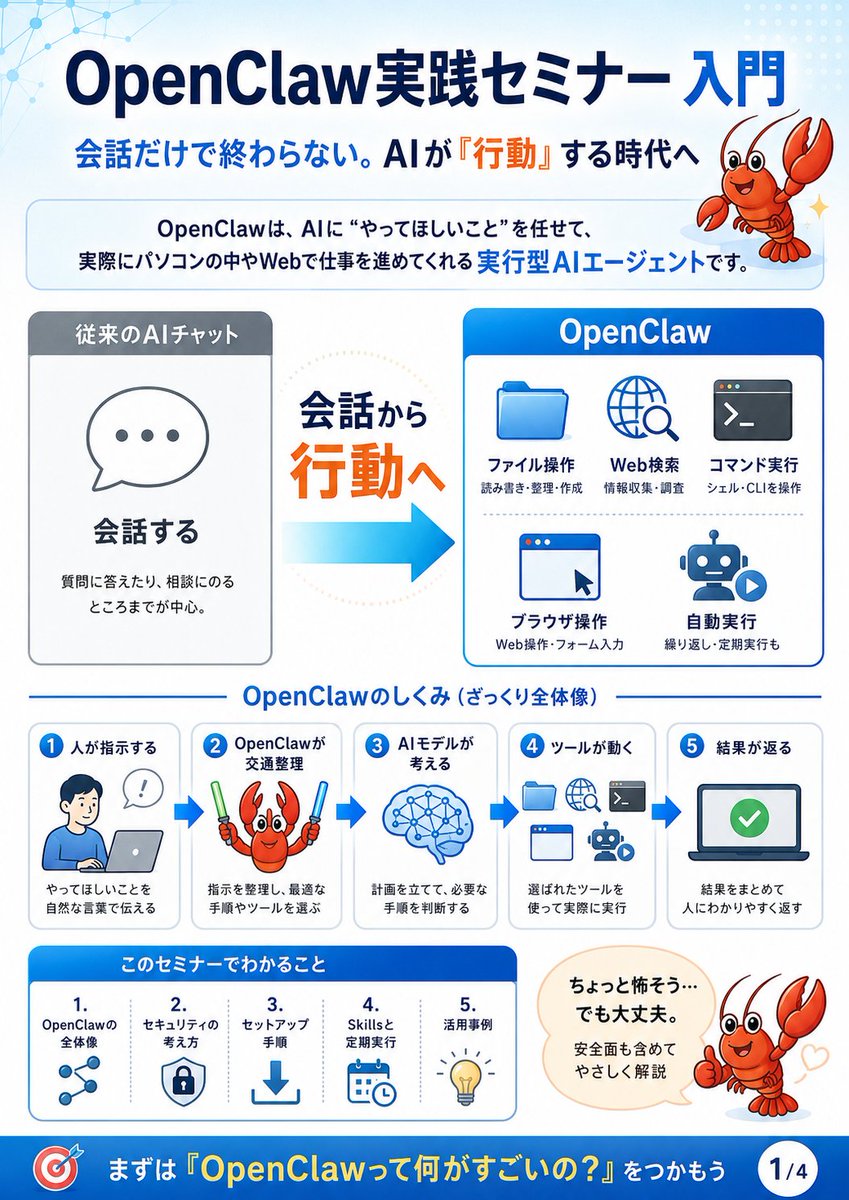
Case Notes
This page keeps the media, full prompt, and original source together so you can inspect the result first and decide whether the prompt is worth copying, saving, or comparing.
Case Insights
To make this page easier to search, cite, and reuse later, the case is also broken down into practical guidance about usage, visual cues, and prompt structure.
Best Fit Scenarios
- Use this as a model & community benchmark when you need a fast style baseline before rewriting your own prompt.
- It is especially helpful if your target overlaps with Illustration, Screenshot, Character and you want to judge the image result before tuning wording.
- Keep it as a control sample when you compare nearby prompt variants one variable at a time.
Visual Signals To Notice
- The clearest style signals here are Illustration, Screenshot, Character, so those should usually stay in your first rewrite.
- This kind of case is strongest when you watch deltas: what changed, what broke, and which prompt choice caused that shift.
- This case keeps one primary output, so the first image should be treated as the main visual reference.
How The Prompt Is Structured
- The prompt reads as a long, highly specified prompt, which is useful when you want to judge how much specificity this direction needs.
- Its keyword cluster is centered on Illustration, Screenshot, Character, so you can usually keep that cluster while swapping subject, camera, layout, or copy details.
- A practical rewrite path is: keep the outcome, keep the strongest style cues, then replace only the subject and environment blocks.
Good Follow-up Questions
- What changes first if you keep Illustration, Screenshot, Character but switch the subject matter?
- Which part of the result comes from section-level structure (Model & Community) versus tag-level style cues?
- Which related cases in the same section give you a cleaner or more extreme variation of the same direction?
Full Prompt
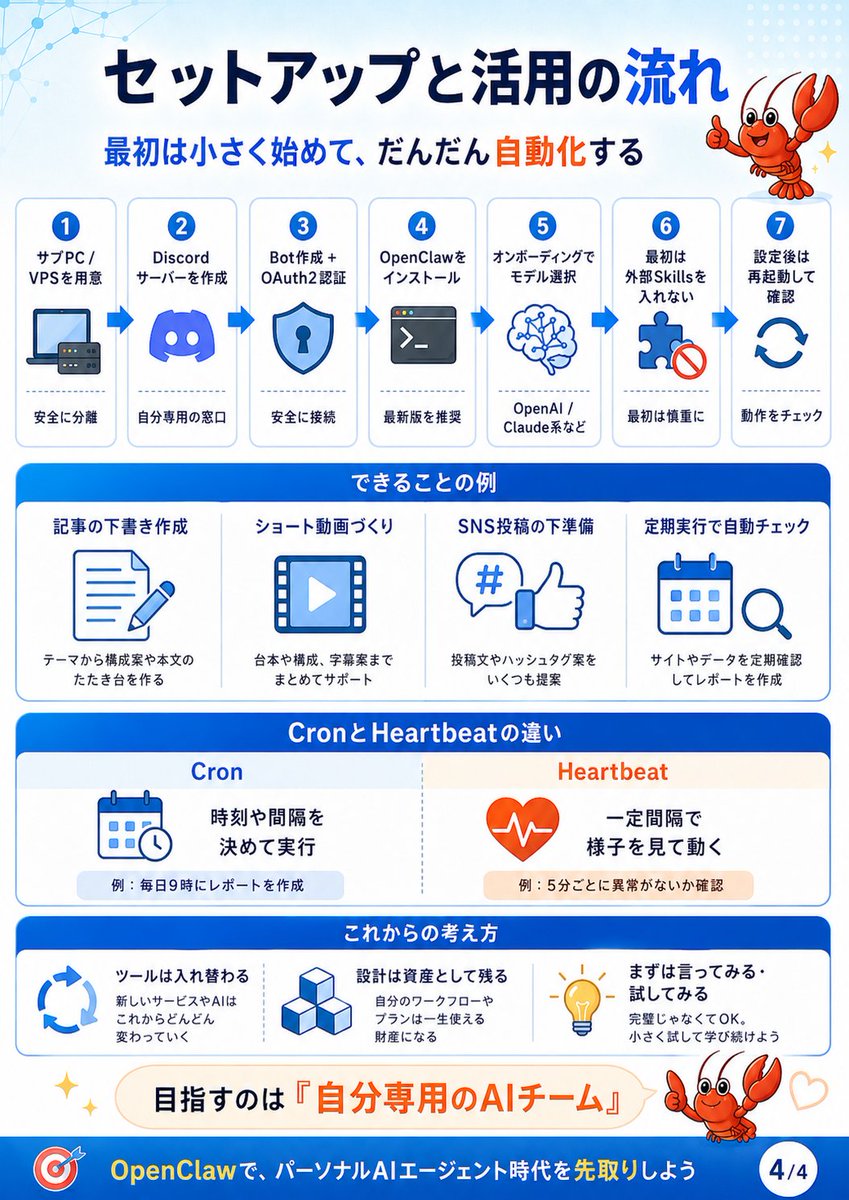
{"type":"Japanese educational infographic slide","format":"vertical 4-part seminar explainer, page indicator 1/4","visual_style":"clean corporate presentation design, white and pale blue background, rounded cards, blue gradient headers, orange emphasis text, flat vector icons, friendly mascot illustration, subtle network-node pattern in the upper left, crisp high-resolution typography","title":{"text":"{argument name=\"headline text\" default=\"OpenClaw実践セミナー 入門\"}","position":"top center","style":"large bold dark navy Japanese sans-serif with OpenClaw in Latin letters"},"subtitle":{"text":"{argument name=\"subtitle text\" default=\"会話だけで終わらない。AIが『行動』する時代へ\"}","position":"below title","style":"bold navy text with the word 『行動』 highlighted in orange"},"mascot":{"character":"{argument name=\"mascot character\" default=\"cute red cartoon lobster\"}","appearances_count":3,"appearances":[{"position":"top right","description":"smiling red lobster mascot with raised claws beside the headline"},{"position":"middle workflow step 2","description":"red lobster holding two glow sticks, representing OpenClaw choosing tools"},{"position":"lower right","description":"red lobster giving a thumbs-up next to a reassuring speech bubble with small heart marks"}]},"intro_box":{"position":"under subtitle","text":"OpenClawは、AIに“やってほしいこと”を任せて、実際にパソコンの中やWebで仕事を進めてくれる 実行型AIエージェントです。","style":"rounded pale-blue bordered banner with key phrase 実行型AIエージェント in bright blue"},"main_comparison":{"position":"center","sections_count":3,"sections":[{"title":"従来のAIチャット","position":"left","description":"gray headed card with a speech bubble icon containing three dots","main_label":"会話する","supporting_text":"質問に答えたり、相談にのるところまでが中心。"},{"title":"会話から 行動へ","position":"center","description":"large transition message with 行動へ in orange and a thick cyan arrow pointing right"},{"title":"OpenClaw","position":"right","description":"blue headed card showing five action capabilities","capabilities_count":5,"capabilities":[{"label":"ファイル操作","icon":"blue folder","small_text":"読み書き・整理・作成"},{"label":"Web検索","icon":"globe with magnifying glass","small_text":"情報収集・調査"},{"label":"コマンド実行","icon":"terminal window","small_text":"シェル・CLIを操作"},{"label":"ブラウザ操作","icon":"browser window with cursor","small_text":"Web操作・フォーム入力"},{"label":"自動実行","icon":"robot with play button","small_text":"繰り返し・定期実行も"}]}]},"mechanism_section":{"title":"OpenClawのしくみ(ざっくり全体像)","position":"lower middle","steps_count":5,"layout":"five connected rounded cards with blue arrows between them","steps":[{"number":"1","label":"人が指示する","icon":"person at laptop with speech bubble","text":"やってほしいことを自然な言葉で伝える"},{"number":"2","label":"OpenClawが交通整理","icon":"lobster with glow sticks","text":"指示を整理し、最適な手順やツールを選ぶ"},{"number":"3","label":"AIモデルが考える","icon":"blue brain with network nodes","text":"計画を立てて、必要な手順を判断する"},{"number":"4","label":"ツールが動く","icon":"folder, globe, terminal, browser, robot icons","text":"選ばれたツールを使って実際に実行"},{"number":"5","label":"結果が返る","icon":"laptop screen with green check mark","text":"結果をまとめて人にわかりやすく返す"}]},"learning_section":{"title":"このセミナーでわかること","position":"bottom left","items_count":5,"items":[{"number":"1.","label":"OpenClawの全体像","icon":"connected nodes"},{"number":"2.","label":"セキュリティの考え方","icon":"shield with lock"},{"number":"3.","label":"セットアップ手順","icon":"download arrow"},{"number":"4.","label":"Skillsと定期実行","icon":"calendar and clock"},{"number":"5.","label":"活用事例","icon":"lightbulb"}]},"speech_bubble":{"position":"bottom right","text":"{argument name=\"speech bubble text\" default=\"ちょっと怖そう…でも大丈夫。安全面も含めてやさしく解説\"}","style":"cream rounded speech bubble pointing to thumbs-up lobster"},"footer":{"position":"very bottom","style":"deep blue banner","left_icon":"red and blue target icon","call_to_action":"{argument name=\"footer call to action\" default=\"まずは『OpenClawって何がすごいの?』をつかもう\"}","page_badge":"1/4"},"color_palette":"navy blue, bright cyan, white, pale blue, orange accents, gray panels, red mascot","composition":"balanced infographic with large title at top, explanatory comparison in the center, step-by-step process below, seminar takeaways and reassurance message at the bottom"}