Case Media
Case Notes
This page keeps the media, full prompt, and original source together so you can inspect the result first and decide whether the prompt is worth copying, saving, or comparing.
Case Insights
To make this page easier to search, cite, and reuse later, the case is also broken down into practical guidance about usage, visual cues, and prompt structure.
Best Fit Scenarios
- Use this as a model & community benchmark when you need a fast style baseline before rewriting your own prompt.
- It is especially helpful if your target overlaps with Screenshot, Typography, Infographic and you want to judge the image result before tuning wording.
- Keep it as a control sample when you compare nearby prompt variants one variable at a time.
Visual Signals To Notice
- The clearest style signals here are Screenshot, Typography, Infographic, so those should usually stay in your first rewrite.
- This kind of case is strongest when you watch deltas: what changed, what broke, and which prompt choice caused that shift.
- This case keeps one primary output, so the first image should be treated as the main visual reference.
How The Prompt Is Structured
- The prompt reads as a long, highly specified prompt, which is useful when you want to judge how much specificity this direction needs.
- Its keyword cluster is centered on Screenshot, Typography, Infographic, so you can usually keep that cluster while swapping subject, camera, layout, or copy details.
- A practical rewrite path is: keep the outcome, keep the strongest style cues, then replace only the subject and environment blocks.
Good Follow-up Questions
- What changes first if you keep Screenshot, Typography, Infographic but switch the subject matter?
- Which part of the result comes from section-level structure (Model & Community) versus tag-level style cues?
- Which related cases in the same section give you a cleaner or more extreme variation of the same direction?
Full Prompt
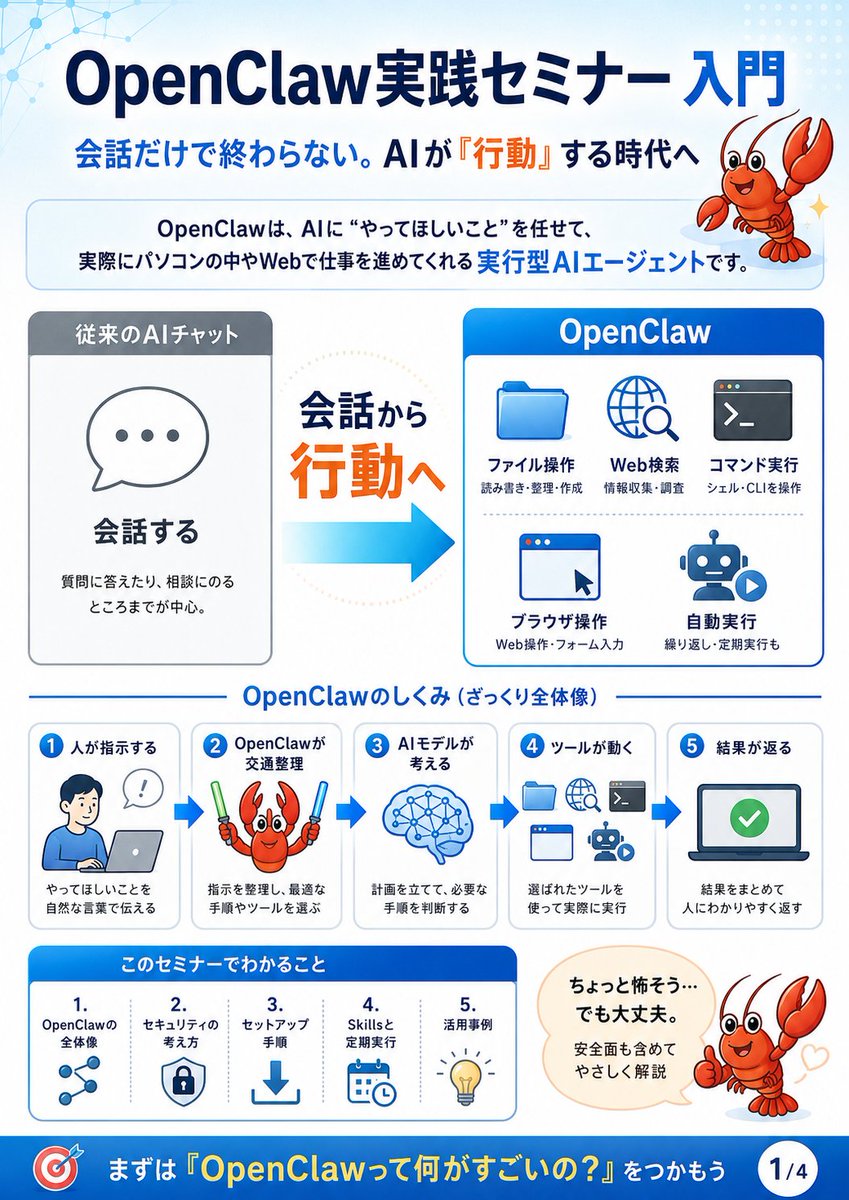
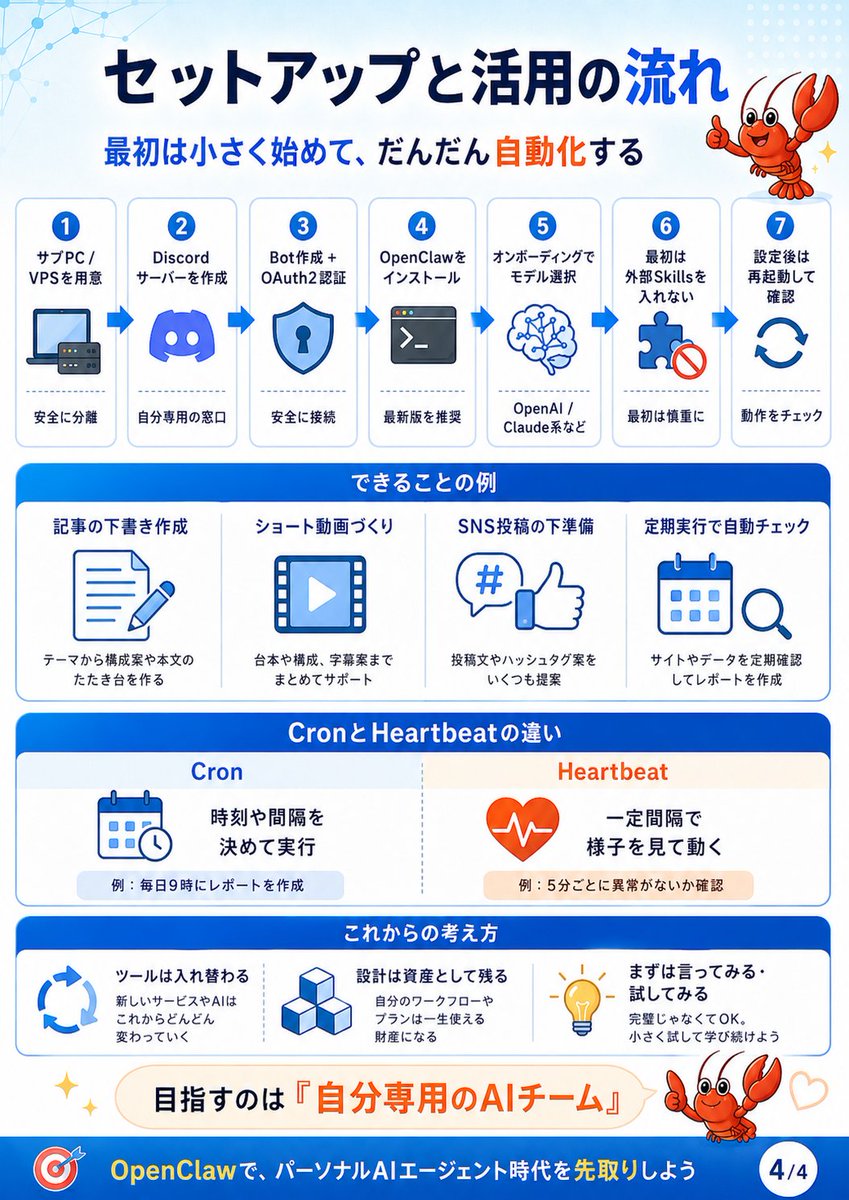
{"type":"Japanese educational infographic slide","format":"vertical 4:5 presentation card, page indicator 4/4","visual_style":"clean corporate explainer, white background with bright OpenClaw blue headers, rounded rectangular cards, simple blue line icons, orange accent words, subtle network-dot pattern in the top-left, friendly cartoon red crawfish mascot giving thumbs-up in the top-right and bottom-right, small sparkle and heart decorations","title":"{argument name=\"main title\" default=\"セットアップと活用の流れ\"}","subtitle":"{argument name=\"subtitle\" default=\"最初は小さく始めて、だんだん自動化する\"}","layout":{"top_process":{"position":"upper half","count":7,"style":"seven numbered white cards connected left-to-right by blue arrows","steps":[{"number":1,"title":"サブPC / VPSを用意","icon":"laptop and small server","caption":"安全に分離"},{"number":2,"title":"Discord サーバーを作成","icon":"Discord logo","caption":"自分専用の窓口"},{"number":3,"title":"Bot作成 + OAuth2認証","icon":"shield with keyhole","caption":"安全に接続"},{"number":4,"title":"OpenClawをインストール","icon":"terminal window","caption":"最新版を推奨"},{"number":5,"title":"オンボーディングでモデル選択","icon":"brain network","caption":"OpenAI / Claude系など"},{"number":6,"title":"最初は外部Skillsを入れない","icon":"puzzle piece with prohibition mark","caption":"最初は慎重に"},{"number":7,"title":"設定後は再起動して確認","icon":"circular refresh arrows","caption":"動作をチェック"}]},"examples_section":{"title":"できることの例","position":"middle","count":4,"cards":[{"title":"記事の下書き作成","icon":"document and pencil","caption":"テーマから構成案や本文のたたき台を作る"},{"title":"ショート動画づくり","icon":"video frame with play button","caption":"台本や構成、字幕案までまとめてサポート"},{"title":"SNS投稿の下準備","icon":"hashtag speech bubble and thumbs-up","caption":"投稿文やハッシュタグ案をいくつも提案"},{"title":"定期実行で自動チェック","icon":"calendar and magnifying glass","caption":"サイトやデータを定期確認してレポートを作成"}]},"comparison_section":{"title":"CronとHeartbeatの違い","position":"lower middle","count":2,"columns":[{"heading":"Cron","icon":"calendar with small clock","main_text":"時刻や間隔を決めて実行","example":"例:毎日9時にレポートを作成"},{"heading":"Heartbeat","icon":"orange heart with pulse line","main_text":"一定間隔で様子を見て動く","example":"例:5分ごとに異常がないか確認"}]},"mindset_section":{"title":"これからの考え方","position":"lower","count":3,"cards":[{"title":"ツールは入れ替わる","icon":"circular arrows","body":"新しいサービスやAIはこれからどんどん変わっていく"},{"title":"設計は資産として残る","icon":"stacked cubes","body":"自分のワークフローやプランは一生使える財産になる"},{"title":"まずは言ってみる。試してみる","icon":"light bulb","body":"完璧じゃなくてOK。小さく試して学び続けよう"}]},"goal_banner":{"position":"near bottom","text":"目指すのは『{argument name=\"goal phrase\" default=\"自分専用のAIチーム\"}』","style":"rounded pale cream banner with orange emphasis"},"footer":{"text":"{argument name=\"footer message\" default=\"OpenClawで、パーソナルAIエージェント時代を先取りしよう\"}","left_icon":"target with arrow","right_badge":"4/4","background":"solid blue footer bar"}},"typography":"bold Japanese sans-serif, large dark navy title, blue section headers, orange highlight text","color_palette":{"primary_blue":"#006fe6","dark_navy":"#07194a","accent_orange":"#ff5a1f","light_blue":"#eaf6ff","white":"#ffffff"},"rendering_notes":"Create a polished Japanese infographic with crisp vector icons, consistent spacing, rounded corners, high readability, no photographic elements, all text sharp and legible."}