Case Media
Case Notes
This page keeps the media, full prompt, and original source together so you can inspect the result first and decide whether the prompt is worth copying, saving, or comparing.
Case Insights
To make this page easier to search, cite, and reuse later, the case is also broken down into practical guidance about usage, visual cues, and prompt structure.
Best Fit Scenarios
- Use this as a ui & social screens benchmark when you need a fast style baseline before rewriting your own prompt.
- It is especially helpful if your target overlaps with Neon, Cinematic, Poster and you want to judge the image result before tuning wording.
- Keep it as a control sample when you compare nearby prompt variants one variable at a time.
Visual Signals To Notice
- The clearest style signals here are Neon, Cinematic, Poster, so those should usually stay in your first rewrite.
- The important layer is usually interface density, card hierarchy, and how the screen tells the story before you read small text.
- This case keeps one primary output, so the first image should be treated as the main visual reference.
How The Prompt Is Structured
- The prompt reads as a long, highly specified prompt, which is useful when you want to judge how much specificity this direction needs.
- Its keyword cluster is centered on Neon, Cinematic, Poster, so you can usually keep that cluster while swapping subject, camera, layout, or copy details.
- A practical rewrite path is: keep the outcome, keep the strongest style cues, then replace only the subject and environment blocks.
Good Follow-up Questions
- What changes first if you keep Neon, Cinematic, Poster but switch the subject matter?
- Which part of the result comes from section-level structure (UI & Social Screens) versus tag-level style cues?
- Which related cases in the same section give you a cleaner or more extreme variation of the same direction?
Full Prompt
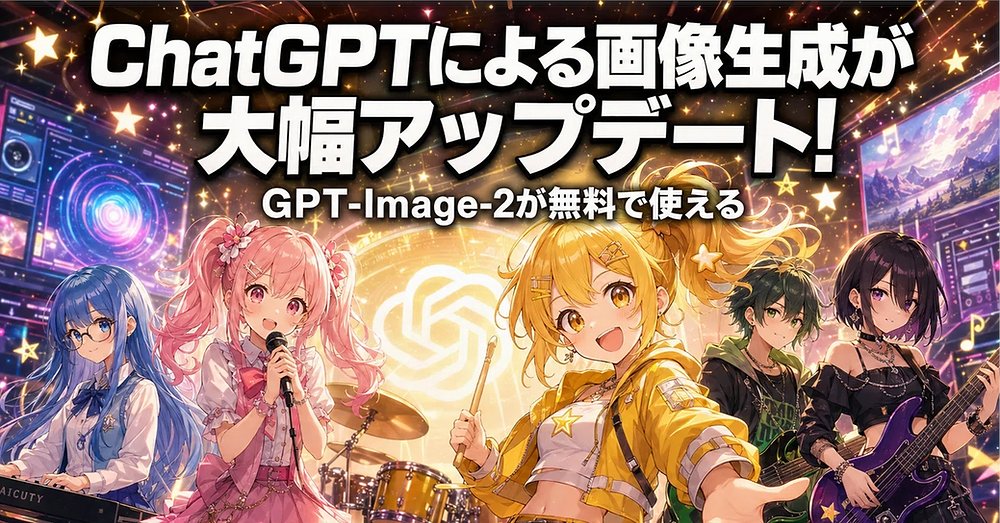
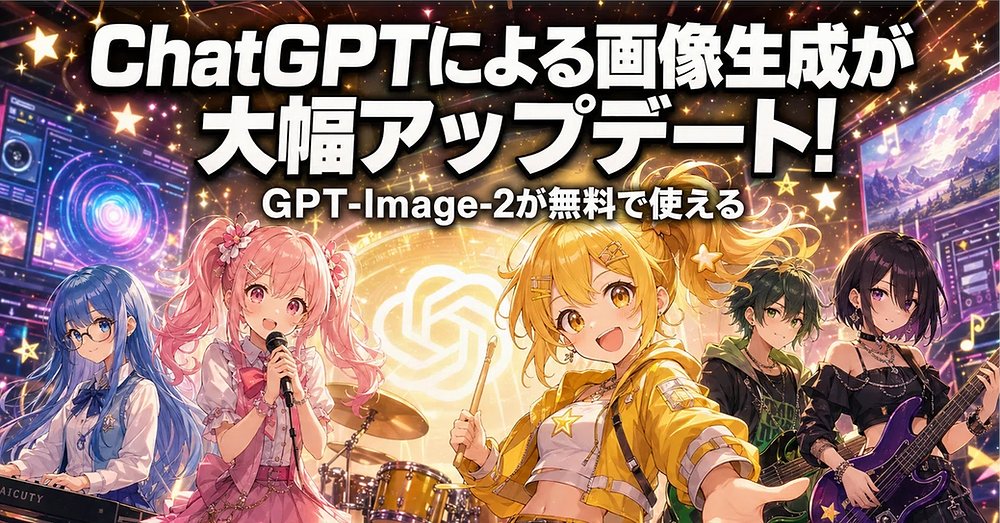
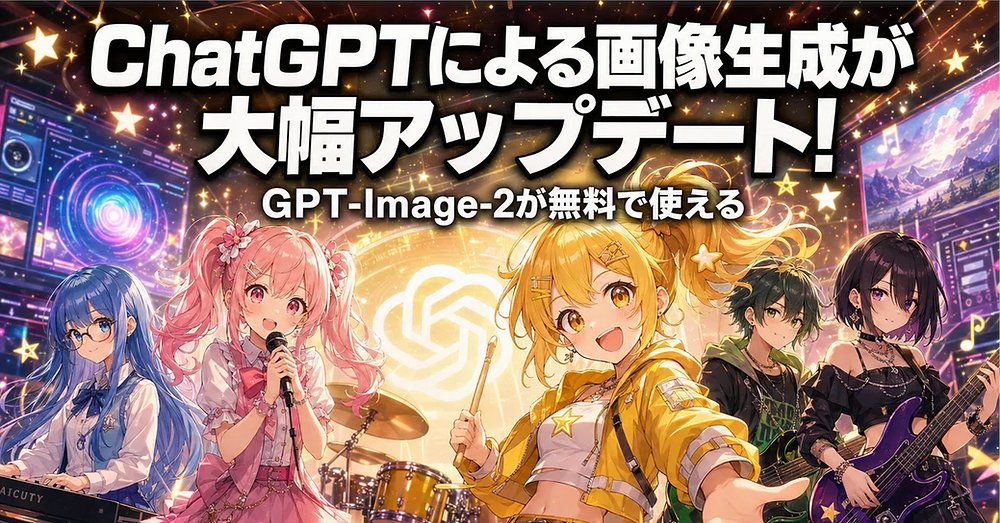
Goal: Create a high-energy Japanese promotional banner announcing an image generation update for ChatGPT / GPT-Image-2, styled like an anime idol rock concert advertisement. Canvas: Wide horizontal social media banner, approximately 2:1 aspect ratio, cinematic 1024×512 feel. Fill the frame edge to edge with no white margins. Layout: Place huge bold Japanese headline text across the top two-thirds, centered and slightly arched with heavy black drop shadow and white fill. Under it, place a smaller centered subtitle. The bottom half is an anime band performance scene with five visible characters and a drum kit, surrounded by glowing UI panels, stars, sparkles, and neon concert lighting. Text content: Main headline in Japanese: {argument name="headline text" default="ChatGPTによる画像生成が 大幅アップデート!"}. Subtitle in Japanese: {argument name="subtitle text" default="GPT-Image-2が無料で使える"}. Use thick rounded sans-serif display lettering, bright white with black outline/shadow, designed for maximum readability over a busy background. Subject details: Include exactly five anime band members across the lower half: 1) far left, a blue-haired keyboardist in a pale blue-and-white outfit behind a keyboard; 2) left-center, a pink twin-tail idol singer holding a microphone, wearing a frilly pink stage dress with flower hair accessories; 3) center-right foreground, the main blonde/yellow-haired energetic idol drummer/front performer, smiling, holding a drumstick, wearing a cropped yellow jacket, white top, star motifs, and hair clips; 4) right-center, a dark-haired green-accented guitarist/bassist in a black streetwear outfit; 5) far right, a black-haired female guitarist in a black off-shoulder rock outfit holding a purple electric guitar. Put a golden drum kit behind the two central characters. The center performer should be the most prominent and brightly lit. Background and effects: Behind the band, show a glowing circular golden OpenAI-like knot logo as a stage backdrop. Add futuristic interface screens on the left and right edges, with colorful dashboards, rings, waveform-like graphics, and thumbnail panels. Use a deep black and purple concert background with orange, pink, gold, and blue neon beams. Scatter many glowing five-point stars, music notes, lens flares, confetti sparkles, and light streaks throughout. Visual style: Polished modern anime illustration, idol concert poster, saturated colors, glossy highlights, dramatic rim lighting, high detail, dynamic composition, celebratory mood, crisp typography, strong contrast. Make it look like a viral Japanese tech-news thumbnail about AI image generation. Constraints: Keep the text legible and dominant, do not add extra headline lines beyond the two specified text lines, keep exactly five band characters, avoid photorealism, avoid watermarks, avoid unreadable tiny text except decorative UI elements.