Case Media
Case Notes
This page keeps the media, full prompt, and original source together so you can inspect the result first and decide whether the prompt is worth copying, saving, or comparing.
Case Insights
To make this page easier to search, cite, and reuse later, the case is also broken down into practical guidance about usage, visual cues, and prompt structure.
Best Fit Scenarios
- Use this as a ui & social screens benchmark when you need a fast style baseline before rewriting your own prompt.
- It is especially helpful if your target overlaps with Portrait, Illustration, UI and you want to judge the image result before tuning wording.
- Keep it as a control sample when you compare nearby prompt variants one variable at a time.
Visual Signals To Notice
- The clearest style signals here are Portrait, Illustration, UI, so those should usually stay in your first rewrite.
- The important layer is usually interface density, card hierarchy, and how the screen tells the story before you read small text.
- This case keeps one primary output, so the first image should be treated as the main visual reference.
How The Prompt Is Structured
- The prompt reads as a long, highly specified prompt, which is useful when you want to judge how much specificity this direction needs.
- Its keyword cluster is centered on Portrait, Illustration, UI, so you can usually keep that cluster while swapping subject, camera, layout, or copy details.
- A practical rewrite path is: keep the outcome, keep the strongest style cues, then replace only the subject and environment blocks.
Good Follow-up Questions
- What changes first if you keep Portrait, Illustration, UI but switch the subject matter?
- Which part of the result comes from section-level structure (UI & Social Screens) versus tag-level style cues?
- Which related cases in the same section give you a cleaner or more extreme variation of the same direction?
Full Prompt
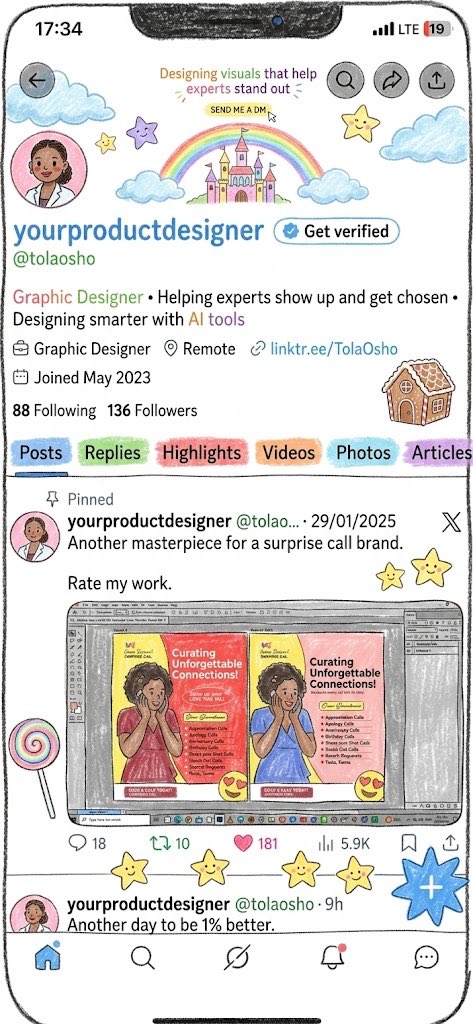
{"type":"hand-drawn social media profile screen illustration","format":"vertical smartphone screenshot mockup","style":"playful sketchbook aesthetic, colored-pencil outlines, pastel watercolor doodles, slightly imperfect hand-drawn UI, rounded phone frame, white background, black ink linework","platform":"X/Twitter-style profile page","parameters":{"display name":"{argument name=\"display name\" default=\"yourproductdesigner\"}","handle":"{argument name=\"handle\" default=\"@tolaosho\"}","bio":"{argument name=\"bio\" default=\"Graphic Designer • Helping experts show up and get chosen • Designing smarter with AI tools\"}","banner text":"{argument name=\"banner text\" default=\"Designing visuals that help experts stand out\"}","pinned post text":"{argument name=\"pinned post text\" default=\"Another masterpiece for a surprise call brand. Rate my work.\"}"},"phone UI":{"top status bar":"time 17:34 at top left, centered black speaker notch, LTE signal and low battery icon showing 19 at top right","top buttons":{"count":4,"items":["back arrow in a grey circle at upper left","search icon in grey circle","share arrow icon in grey circle","upload/share tray icon in grey circle"]},"bottom navigation":{"count":5,"items":["home icon highlighted blue","search icon","Grok-like slash swirl icon","notifications bell with small red dot","messages bubble"]}},"profile header":{"banner":"pastel doodle banner with two blue clouds, rainbow, pink castle, small stars, and a tiny yellow label reading SEND ME A DM under the banner text","profile avatar":"round pink avatar at left, illustrated woman in blazer, face intentionally blurred","name row":"large blue display name with blue verified badge and a white Get verified pill button","metadata":{"count":4,"items":["briefcase icon Graphic Designer","location pin Remote","link icon linktr.ee/TolaOsho","calendar icon Joined May 2023"]},"social stats":"88 Following and 136 Followers"},"tabs":{"count":6,"labels":["Posts","Replies","Highlights","Videos","Photos","Articles"],"appearance":"pastel marker-highlight tabs, Posts selected with blue underline, each tab has a different soft color highlight"},"timeline":{"posts visible count":2,"pinned post":{"position":"main visible post","label":"Pinned","author":"yourproductdesigner","handle and date":"@tolao... · 29/01/2025","body":"Another masterpiece for a surprise call brand. Rate my work.","embedded image":"a hand-drawn desktop design software screenshot showing two colorful book or cover designs side by side, both titled Curating Unforgettable Connections!, one warm red/yellow and one blue/yellow, with toolbars and panels around the canvas","engagement metrics":{"count":5,"items":["reply 18","repost 10","heart 181","views 5.9K","bookmark icon with no number"]}},"second post preview":{"position":"bottom partially visible","author":"yourproductdesigner @tolaosho · 9h","body":"Another day to be 1% better."}},"decorative doodles":{"count":14,"items":["large blue cloud at upper left","small yellow star near avatar","purple star above banner","cloud below rainbow left","cloud below rainbow right","large yellow star near upper right","large blue cloud at upper right","gingerbread-house doodle at right of profile stats","yellow star beside pinned post","yellow star pair to right of pinned post body","rainbow lollipop at lower left of pinned image","three yellow stars along engagement row","large blue hashtag sticker at lower right","pink heart-eyes emoji over embedded image"]},"composition":"crop like a full phone screen, slight black hand-drawn outline around the phone, dense but readable social profile layout, cheerful creator/designer branding"}