Case Media
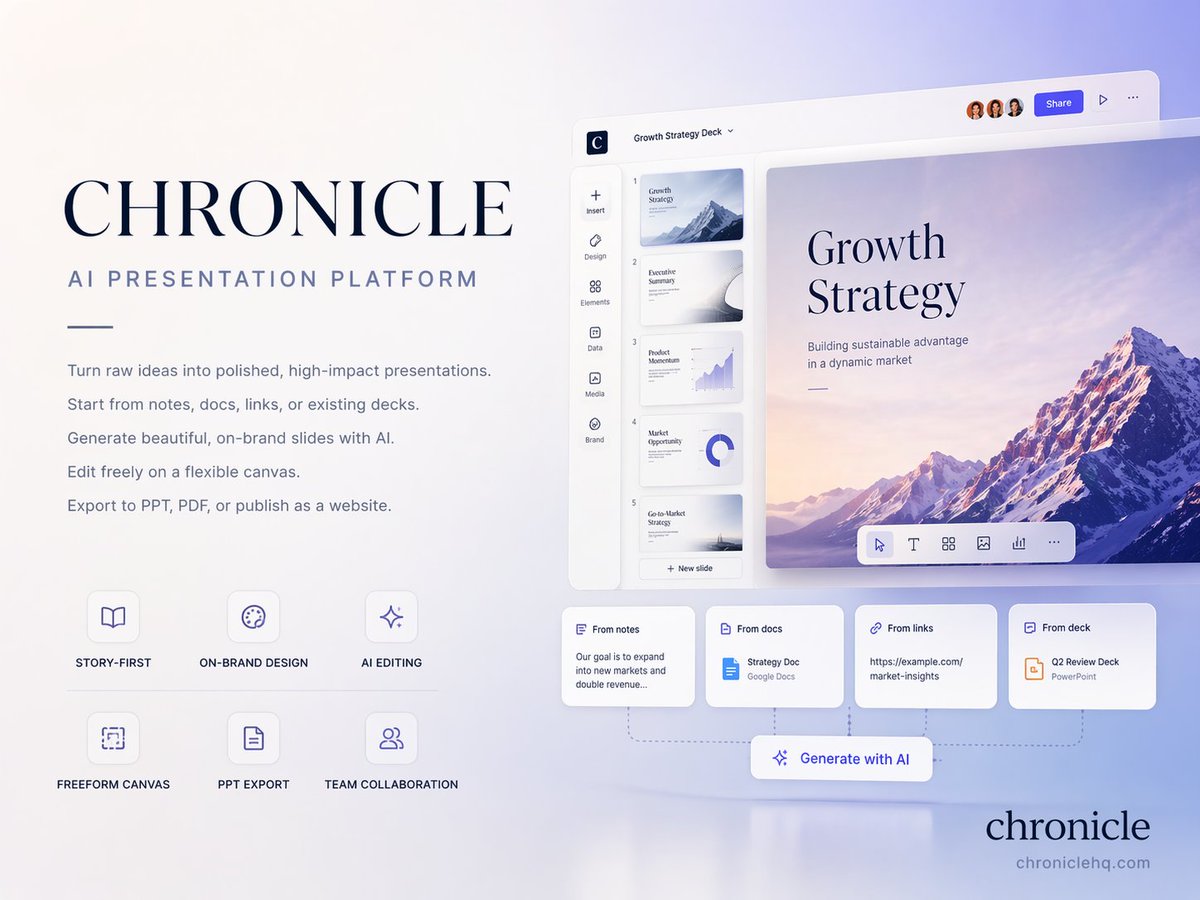
Case Notes
This page keeps the media, full prompt, and original source together so you can inspect the result first and decide whether the prompt is worth copying, saving, or comparing.
Case Insights
To make this page easier to search, cite, and reuse later, the case is also broken down into practical guidance about usage, visual cues, and prompt structure.
Best Fit Scenarios
- Use this as a poster & illustration benchmark when you need a fast style baseline before rewriting your own prompt.
- It is especially helpful if your target overlaps with Fashion, Poster, Illustration and you want to judge the image result before tuning wording.
- Keep it as a control sample when you compare nearby prompt variants one variable at a time.
Visual Signals To Notice
- The clearest style signals here are Fashion, Poster, Illustration, so those should usually stay in your first rewrite.
- Pay close attention to layout rhythm, headline hierarchy, illustration texture, and how information is staged in the frame.
- This case keeps one primary output, so the first image should be treated as the main visual reference.
How The Prompt Is Structured
- The prompt reads as a long, highly specified prompt, which is useful when you want to judge how much specificity this direction needs.
- Its keyword cluster is centered on Fashion, Poster, Illustration, so you can usually keep that cluster while swapping subject, camera, layout, or copy details.
- A practical rewrite path is: keep the outcome, keep the strongest style cues, then replace only the subject and environment blocks.
Good Follow-up Questions
- What changes first if you keep Fashion, Poster, Illustration but switch the subject matter?
- Which part of the result comes from section-level structure (Poster & Illustration) versus tag-level style cues?
- Which related cases in the same section give you a cleaner or more extreme variation of the same direction?
Full Prompt
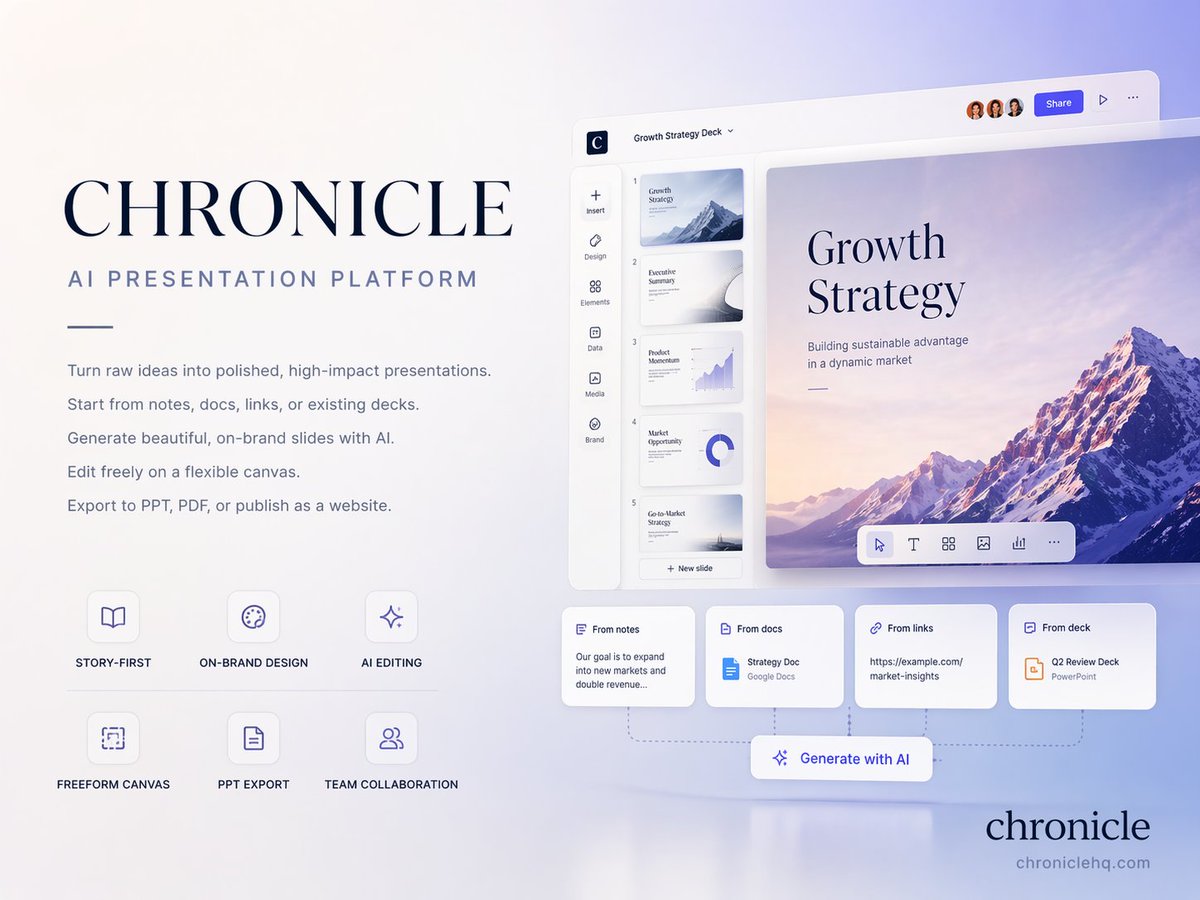
[中文] 创建一个高级的 4:3 演示文稿封面幻灯片,介绍来自 http://chroniclehq.com 的 AI 原生演示平台 Chronicle。 Style: 优雅,极简,现代,高级初创企业美学。类似于高端品牌指南封面(如 Apple / Linear / Notion 风格)。带有微妙深度感的柔和渐变背景,干净的留白,精致的排版,经过打磨的编辑式布局。 Main title: CHRONICLE Subtitle: AI PRESENTATION PLATFORM Body copy (small elegant text): 将原始想法转化为经过打磨的、高影响力的演示文稿。 从笔记、文档、链接或现有幻灯片开始。 使用 AI 生成美观的、符合品牌调性的幻灯片。 在灵活的画布上自由编辑。 导出为 PPT、PDF,或发布为网站。 Feature highlights (small premium labels): STORY-FIRST ON-BRAND DESIGN AI EDITING FREEFORM CANVAS PPT EXPORT TEAM COLLABORATION Bottom-right elegant logo text: chronicle Visual feeling: 商务级高级感,战略级幻灯片质量,咨询级演示文稿,略带未来感但高度专业。 Composition: 干净的编辑式平衡,不对称布局,强烈的留白,演示软件主视觉感。 Aspect ratio: 4:3 Language: 仅限英文 [English] Create a premium 4:3 presentation cover slide introducing Chronicle, the AI-native presentation platform from http://chroniclehq.com. Style: elegant, minimal, modern, premium startup aesthetic. Similar to high-end brand guideline covers (like Apple / Linear / Notion style). Soft gradient background with subtle depth, clean whitespace, refined typography, polished editorial layout. Main title: CHRONICLE Subtitle: AI PRESENTATION PLATFORM Body copy (small elegant text): Turn raw ideas into polished, high-impact presentations. Start from notes, docs, links, or existing decks. Generate beautiful, on-brand slides with AI. Edit freely on a flexible canvas. Export to PPT, PDF, or publish as a website. Feature highlights (small premium labels): STORY-FIRST ON-BRAND DESIGN AI EDITING FREEFORM CANVAS PPT EXPORT TEAM COLLABORATION Bottom-right elegant logo text: chronicle Visual feeling: business-class premium, strategy deck quality, consulting-grade presentation, slightly futuristic but highly professional. Composition: clean editorial balance, asymmetrical layout, strong whitespace, presentation software hero shot feeling. Aspect ratio: 4:3 Language: English only