Case Media
Case Notes
This page keeps the media, full prompt, and original source together so you can inspect the result first and decide whether the prompt is worth copying, saving, or comparing.
Case Insights
To make this page easier to search, cite, and reuse later, the case is also broken down into practical guidance about usage, visual cues, and prompt structure.
Best Fit Scenarios
- Use this as a portrait & photography benchmark when you need a fast style baseline before rewriting your own prompt.
- It is especially helpful if your target overlaps with Portrait, Poster, Illustration and you want to judge the image result before tuning wording.
- Keep it as a control sample when you compare nearby prompt variants one variable at a time.
Visual Signals To Notice
- The clearest style signals here are Portrait, Poster, Illustration, so those should usually stay in your first rewrite.
- Focus on framing, light direction, pose, and the distance between subject and camera.
- This case keeps 2 media outputs, which makes it easier to check whether the style remains stable across multiple results.
How The Prompt Is Structured
- The prompt reads as a long, highly specified prompt, which is useful when you want to judge how much specificity this direction needs.
- Its keyword cluster is centered on Portrait, Poster, Illustration, so you can usually keep that cluster while swapping subject, camera, layout, or copy details.
- A practical rewrite path is: keep the outcome, keep the strongest style cues, then replace only the subject and environment blocks.
Good Follow-up Questions
- What changes first if you keep Portrait, Poster, Illustration but switch the subject matter?
- Which part of the result comes from section-level structure (Portrait & Photography) versus tag-level style cues?
- Which related cases in the same section give you a cleaner or more extreme variation of the same direction?
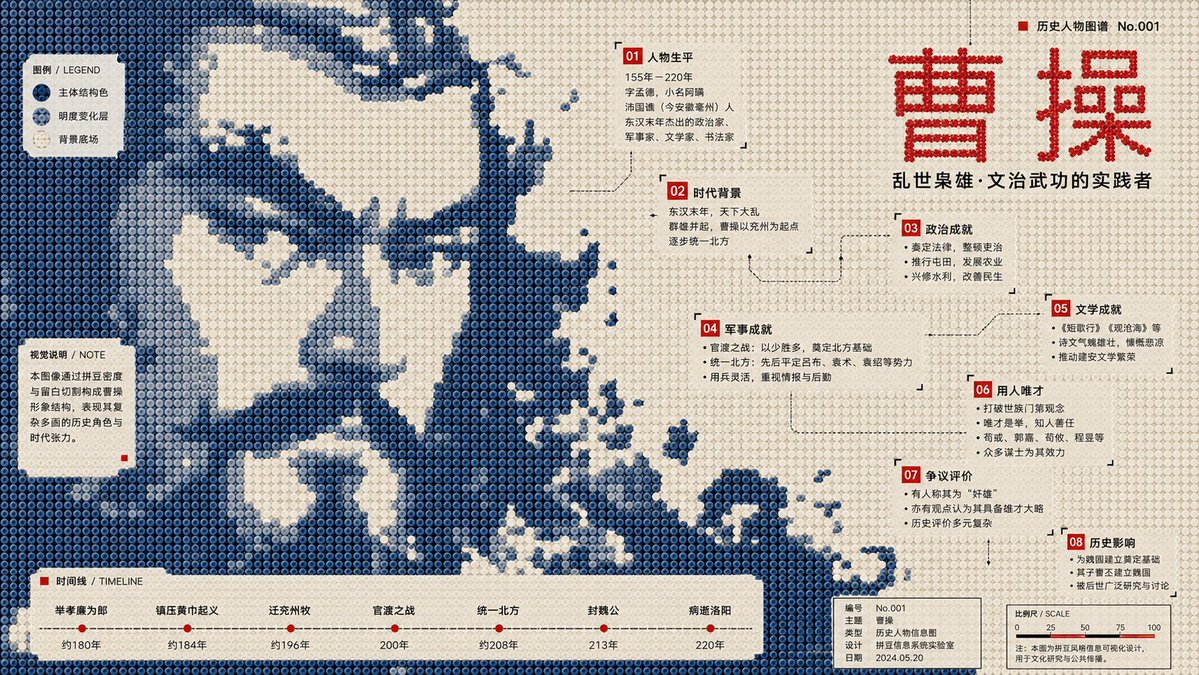
Full Prompt
Generate a 16:9 horizontal infographic poster. Subject: {argument name="subject" default="Pan Jinlian"} Required Knowledge Points: [Point 1] through [Point 8] Visual Style Definition: This is a structural flat infographic poster in the style of "Perler beads / fuse beads / pixel bead array." The image is composed of a large number of regularly arranged circular plastic beads, each with clear circular boundaries, a slight center indentation, uniform spacing, low-saturation plastic texture, and a stable grid order. The overall composition must maintain a front-view flat layout, resembling a public cultural infographic poster made of beads, rather than toy photography, 3D models, cartoon illustrations, or ordinary pixel art. Core Composition: Compress the subject into a large-scale monochromatic bead image field. The subject must surge in from the edges of the frame, crossing page boundaries and being cropped as if a larger bead media image fragment is entering the page. The subject occupies the main visual weight but is not fully presented; viewers must reconstruct the theme through silhouette, direction, missing areas, bead density, and local texture. Subject Morphology: The outer edges of the subject exhibit low-resolution bead steps, block fractures, hard-cut gaps, pixelated jagged outlines, missing bead cross-sections, and rough boundaries after sampling. Forbid smooth silhouettes, complete icon outlines, or realistic details. Use only different brightness levels of the same subject structural color within the body to form low-contrast image fragments, halftone noise, scan grains, material afterimages, archival textures, and local density variations. Background and Negative Space: The background uses a high-brightness light-colored bead field, close to unprinted paper, light creamy white plastic board, or pale grey-white bead arrays. The background is not a decorative base color but actively cuts back into the subject, forming large voids, winding channels, quiet text windows, reading pause areas, and knowledge point containers. White space must provide a sense of breath while cutting the subject's structure. Color System: Adopt a strict three-layer functional color scheme: 1. Light Background Field (60%–70%): Colors like old paper white, light beige, or cold grey-white for breathing and text windows. 2. Subject Structural Color (25%–35%): Defines the subject and mood. Choose based on the subject (e.g., deep blue/dark green for cold themes; ocher red/burnt orange for warm themes). 3. High-Contrast Information Color (3%–6%): Sharp colors like red, black, or bright blue for titles, numbering, and key annotations. Infographic System: Transform knowledge points 1 to 8 into bead information nodes (numbered labels, annotation boxes, legend blocks, coordinate lines, etc.). Nodes should be scattered along white space windows, color field boundaries, and subject gaps. Ensure a clear hierarchy of text sizes. Typography: Use narrow modern sans-serif fonts or monospace metadata fonts. Text must be arranged in white space windows and bottom information bars, never pressing against the center of the subject. Bead Material: All visual elements are made of beads. Surfaces have a matte plastic texture with slight manufacturing irregularities, faint grains, and minor wear. Structural color areas can show halftone-style density changes and a specialty overprint feel.