Case Media
Case Notes
This page keeps the media, full prompt, and original source together so you can inspect the result first and decide whether the prompt is worth copying, saving, or comparing.
Case Insights
To make this page easier to search, cite, and reuse later, the case is also broken down into practical guidance about usage, visual cues, and prompt structure.
Best Fit Scenarios
- Use this as a portrait & photography benchmark when you need a fast style baseline before rewriting your own prompt.
- It is especially helpful if your target overlaps with Portrait, Cinematic, Minimal and you want to judge the image result before tuning wording.
- Keep it as a control sample when you compare nearby prompt variants one variable at a time.
Visual Signals To Notice
- The clearest style signals here are Portrait, Cinematic, Minimal, so those should usually stay in your first rewrite.
- Focus on framing, light direction, pose, and the distance between subject and camera.
- This case keeps one primary output, so the first image should be treated as the main visual reference.
How The Prompt Is Structured
- The prompt reads as a long, highly specified prompt, which is useful when you want to judge how much specificity this direction needs.
- Its keyword cluster is centered on Portrait, Cinematic, Minimal, so you can usually keep that cluster while swapping subject, camera, layout, or copy details.
- A practical rewrite path is: keep the outcome, keep the strongest style cues, then replace only the subject and environment blocks.
Good Follow-up Questions
- What changes first if you keep Portrait, Cinematic, Minimal but switch the subject matter?
- Which part of the result comes from section-level structure (Portrait & Photography) versus tag-level style cues?
- Which related cases in the same section give you a cleaner or more extreme variation of the same direction?
Full Prompt
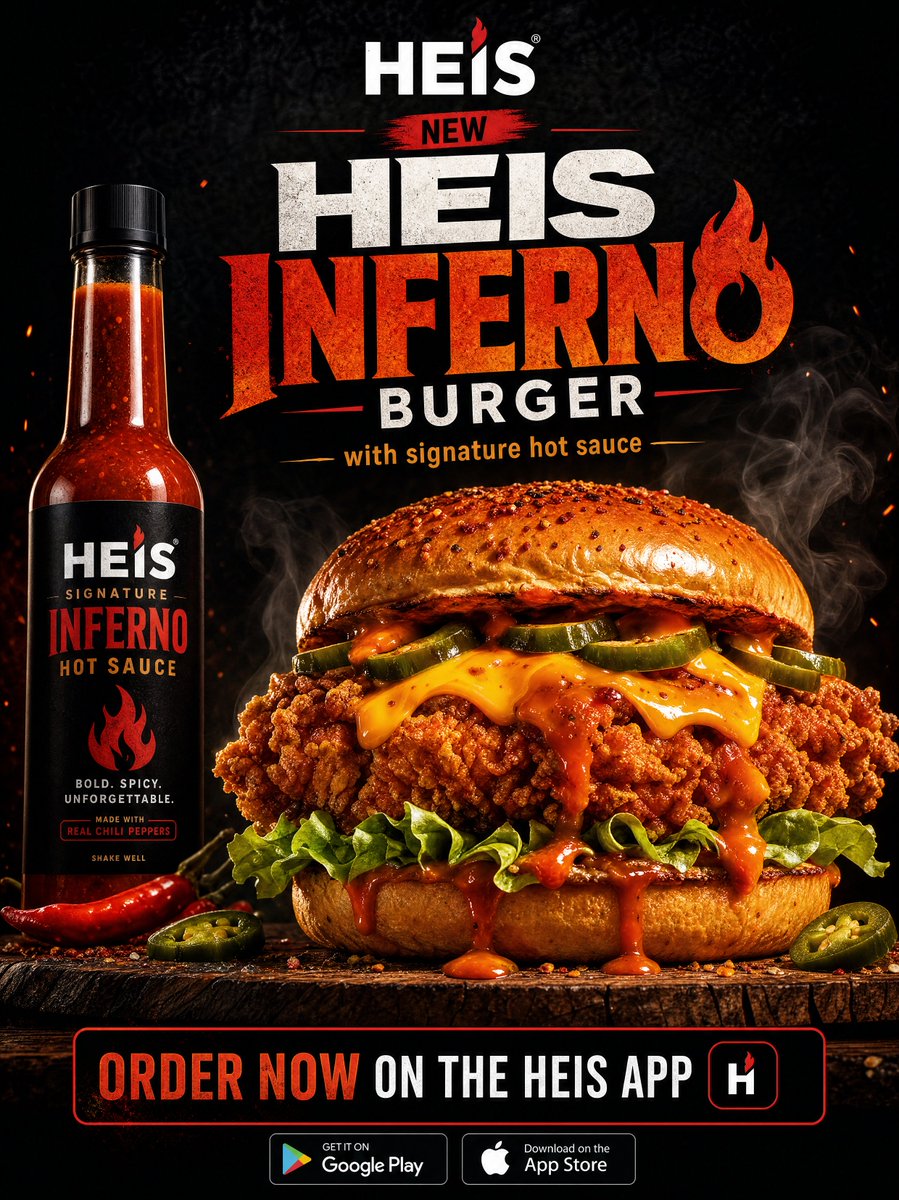
Create a high-end fast food advertisement for Heis featuring a spicy premium chicken burger. The composition should be dramatic and cinematic, with a dark charcoal or black textured background. At the top center, place the Heis logo in clean, bold typography. Below it, add a striking headline in large, bold, modern font: “NEW HEIS INFERNO BURGER” Incorporate a subtle flame icon or fiery accent integrated into the typography. Under the headline, include a smaller subtext: “with signature hot sauce” Centerpiece: a hyper-realistic, ultra-detailed crispy chicken burger placed on a wooden surface. The burger should look indulgent and oversized: Golden, crunchy fried chicken fillet with rich texture Melted cheese dripping naturally Fresh lettuce and jalapeños Glossy toasted bun with light seasoning Spicy sauce visibly oozing out Add subtle steam/smoke rising from the burger to give it a fresh, hot feel. On one side (left or right), place a sleek bottle of Heis signature hot sauce with a premium label design. Lighting: High contrast, studio lighting Warm highlights on the burger Soft shadows for depth Slight rim lighting to separate the subject from the background Color palette: Deep blacks and greys Fiery reds and oranges for spice elements Warm golden tones for the chicken At the bottom, include a call-to-action bar: “ORDER NOW ON THE HEIS APP” Add minimal app store icons (Google Play & App Store style). Overall vibe: bold, premium, spicy, mouthwatering, and modern - like a top-tier global fast food campaign.