Case Media
Case Notes
This page keeps the media, full prompt, and original source together so you can inspect the result first and decide whether the prompt is worth copying, saving, or comparing.
Case Insights
To make this page easier to search, cite, and reuse later, the case is also broken down into practical guidance about usage, visual cues, and prompt structure.
Best Fit Scenarios
- Use this as a model & community benchmark when you need a fast style baseline before rewriting your own prompt.
- It is especially helpful if your target overlaps with Fashion, Minimal, Typography and you want to judge the image result before tuning wording.
- Keep it as a control sample when you compare nearby prompt variants one variable at a time.
Visual Signals To Notice
- The clearest style signals here are Fashion, Minimal, Typography, so those should usually stay in your first rewrite.
- This kind of case is strongest when you watch deltas: what changed, what broke, and which prompt choice caused that shift.
- This case keeps one primary output, so the first image should be treated as the main visual reference.
How The Prompt Is Structured
- The prompt reads as a long, highly specified prompt, which is useful when you want to judge how much specificity this direction needs.
- Its keyword cluster is centered on Fashion, Minimal, Typography, so you can usually keep that cluster while swapping subject, camera, layout, or copy details.
- A practical rewrite path is: keep the outcome, keep the strongest style cues, then replace only the subject and environment blocks.
Good Follow-up Questions
- What changes first if you keep Fashion, Minimal, Typography but switch the subject matter?
- Which part of the result comes from section-level structure (Model & Community) versus tag-level style cues?
- Which related cases in the same section give you a cleaner or more extreme variation of the same direction?
Full Prompt
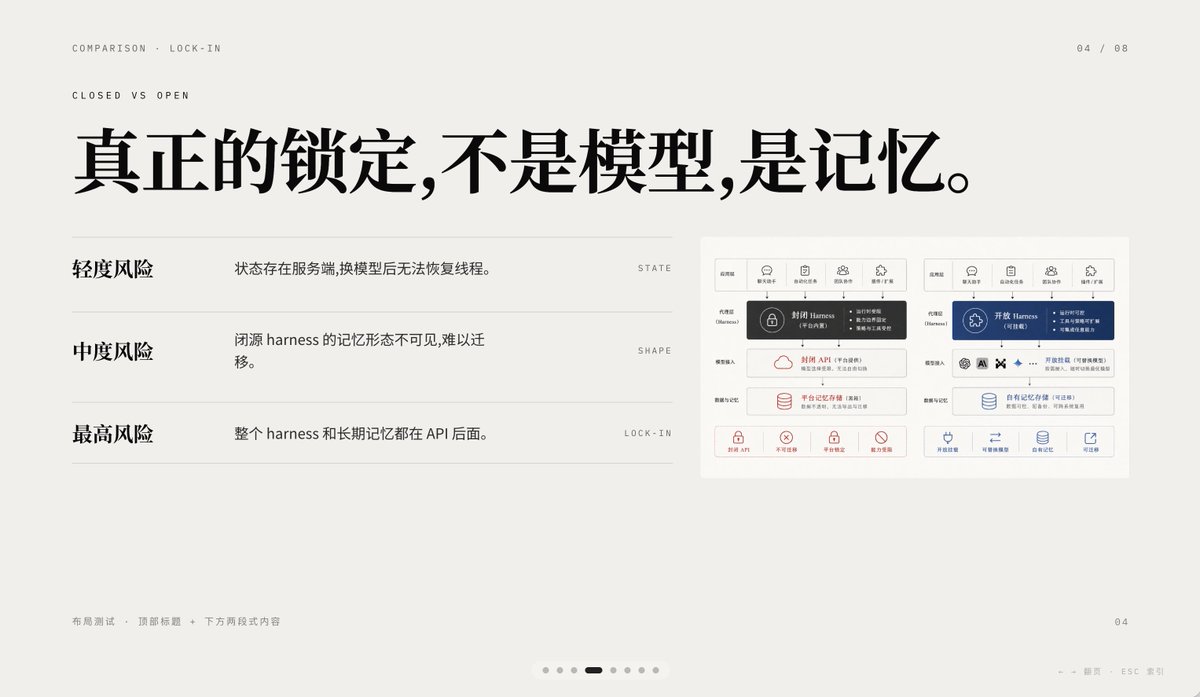
A minimalist editorial presentation slide in 16:9 format with a warm light-gray paper background, lots of negative space, refined Swiss-style grid layout, and high-end PPT/keynote design aesthetics. The slide is a comparison page about lock-in, using elegant Chinese typography mixed with tiny English navigation text. At the top left, place two small uppercase English breadcrumb lines: “COMPARISON · LOCK-IN” and below it “CLOSED VS OPEN”, in a thin sans-serif with wide tracking. At the top right, place the page indicator “04 / 08”. Center-left across the upper half, add a very large bold black Chinese headline: “真正的锁定,不是模型,是记忆。” On the left half below the headline, create a three-row comparison list separated by thin horizontal gray rules. Row 1 has the bold Chinese label “轻度风险” on the left, with the explanatory sentence “状态存在服务端,换模型后无法恢复线程。” to its right, and a tiny uppercase English keyword aligned far right: “STATE”. Row 2 has the bold label “中度风险”, with the sentence “闭源 harness 的记忆形态不可见,难以迁移。” and the far-right keyword “SHAPE”. Row 3 has the bold label “最高风险”, with the sentence “整个 harness 和长期记忆都在 API 后面。” and the far-right keyword “LOCK-IN”. On the right side of the slide, place a small inset comparison diagram card with a white background and subtle border, containing 2 side-by-side system architecture panels. The left panel represents a closed system in dark gray and muted red accents; the right panel represents an open system in deep blue accents. Each panel should have 5 small top icon tabs, a central highlighted harness block, several stacked rounded rectangular modules below, and a bottom row of 4 small capability icons with short Chinese labels. Keep the inset detailed but small, so it reads as a supporting visual rather than the main focus. At the bottom left, add tiny light-gray Chinese footer text: “布局测试 · 顶部标题 + 下方两段式内容”. At the bottom right, place a small page number “04”. Centered near the bottom edge, add a carousel indicator with exactly 7 small dots, where the 4th dot is a short dark rounded pill indicating the active slide and the other 6 dots are pale gray circles. Also add tiny faint navigation hints at the lower right edge reading “← → 翻页 ESC 关闭”. Use crisp vector text rendering, understated contrast, elegant spacing, and a calm premium infographic style suitable for a business presentation about AI platform comparison and API memory lock-in.