Case Media
Case Notes
This page keeps the media, full prompt, and original source together so you can inspect the result first and decide whether the prompt is worth copying, saving, or comparing.
Case Insights
To make this page easier to search, cite, and reuse later, the case is also broken down into practical guidance about usage, visual cues, and prompt structure.
Best Fit Scenarios
- Use this as a character design benchmark when you need a fast style baseline before rewriting your own prompt.
- It is especially helpful if your target overlaps with Portrait, Poster, Illustration and you want to judge the image result before tuning wording.
- Keep it as a control sample when you compare nearby prompt variants one variable at a time.
Visual Signals To Notice
- The clearest style signals here are Portrait, Poster, Illustration, so those should usually stay in your first rewrite.
- Look at silhouette, costume language, mood styling, and whether the character reads clearly at a glance.
- This case keeps one primary output, so the first image should be treated as the main visual reference.
How The Prompt Is Structured
- The prompt reads as a long, highly specified prompt, which is useful when you want to judge how much specificity this direction needs.
- Its keyword cluster is centered on Portrait, Poster, Illustration, so you can usually keep that cluster while swapping subject, camera, layout, or copy details.
- A practical rewrite path is: keep the outcome, keep the strongest style cues, then replace only the subject and environment blocks.
Good Follow-up Questions
- What changes first if you keep Portrait, Poster, Illustration but switch the subject matter?
- Which part of the result comes from section-level structure (Character Design) versus tag-level style cues?
- Which related cases in the same section give you a cleaner or more extreme variation of the same direction?
Full Prompt
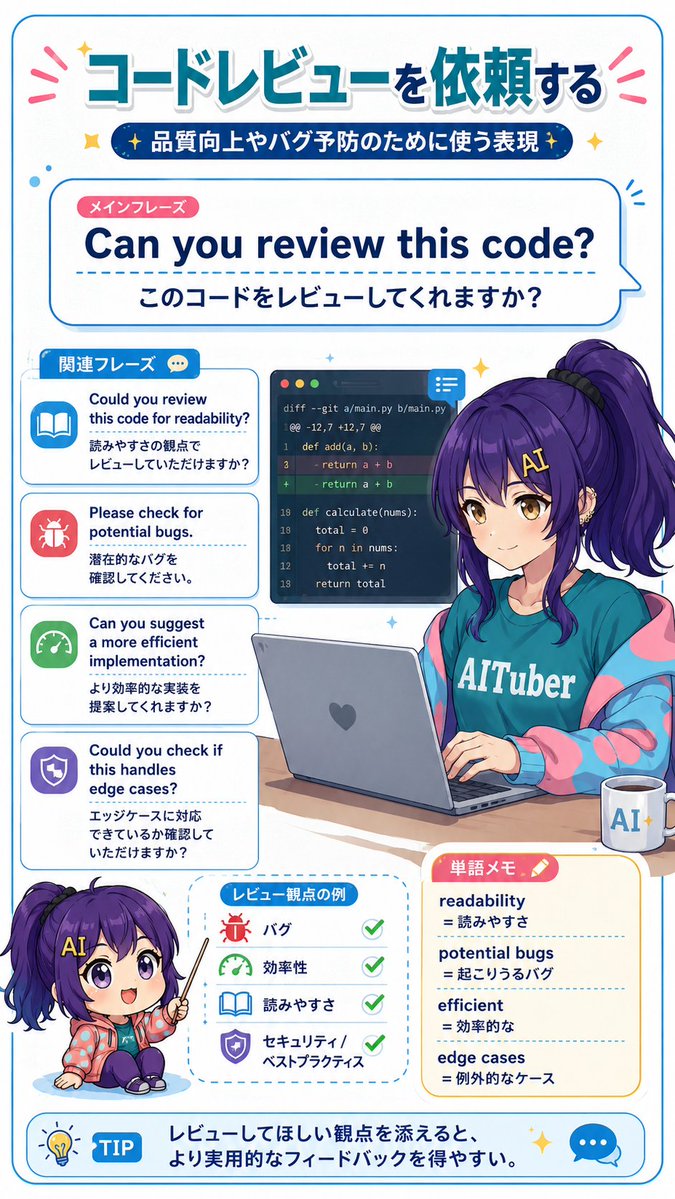
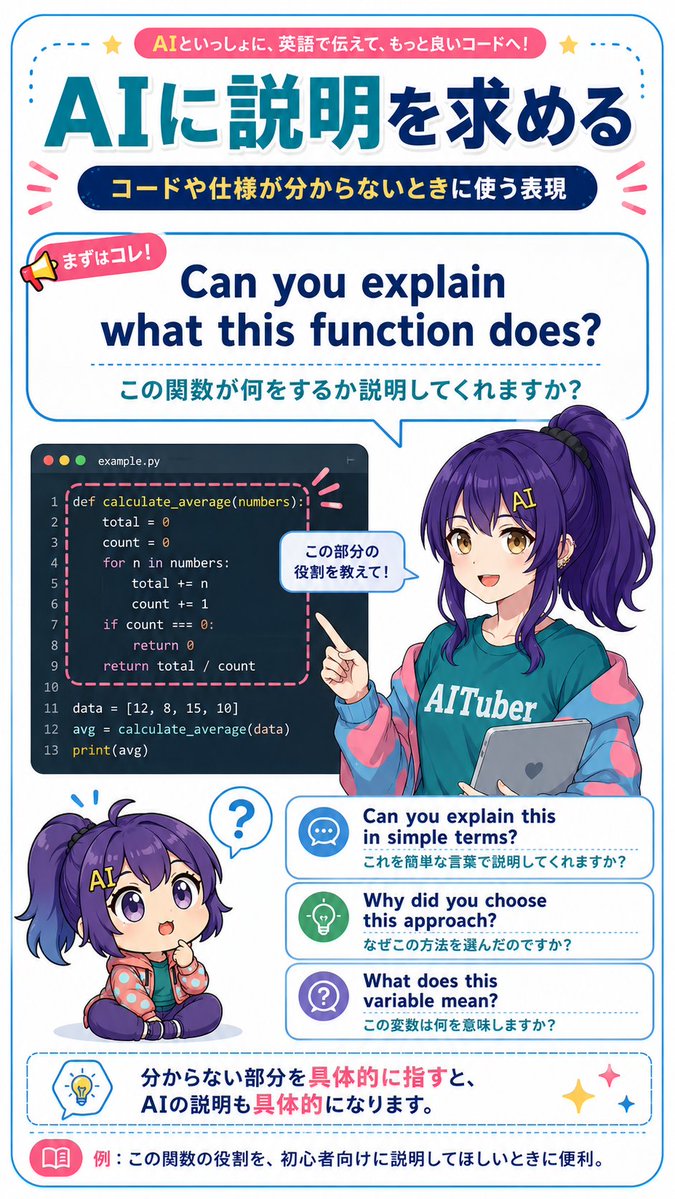
{"type":"vertical Japanese educational infographic poster for English learning with AI coding assistant","style":"bright clean anime magazine layout, gpt-image-2 style, crisp vector typography mixed with polished anime illustration, white background, rounded blue border, teal and navy gradients, pink accent ribbons, dotted divider lines, cute icons, high-resolution printable study material","canvas":{"orientation":"portrait","aspect_ratio":"9:16","background":"white with thin rounded cyan frame and small decorative stars and emphasis marks"},"theme":{"headline_context":"fictional practical English learning material for asking AI to explain code and specifications","main_topic":"{argument name=\"main topic\" default=\"AIに説明を求める\"}","top_badge_text":"{argument name=\"top badge text\" default=\"AIといっしょに、英語で伝えて、もっと良いコードへ!\"}","subtitle_text":"{argument name=\"subtitle text\" default=\"コードや仕様が分からないときに使う表現\"}"},"layout":{"sections":[{"title":"top header","position":"top","count":3,"elements":["pink rounded banner with the top badge text","huge Japanese headline in teal-to-navy gradient: AIに説明を求める","dark navy pill subtitle with yellow Japanese text"]},{"title":"main phrase speech panel","position":"upper middle","count":3,"elements":["small megaphone label reading まずはコレ!","large English phrase: Can you explain what this function does?","Japanese translation below: この関数が何をするか説明してくれますか?"],"panel_style":"large rounded rectangle speech bubble outlined in cyan, pointing down toward the character"},{"title":"coding example panel","position":"middle left","count":1,"elements":["dark code editor window labeled example.py with three macOS-style dots and Python code for def calculate_average(numbers):, total=0, count=0, loop through numbers, return total/count, data list, avg calculation, print(avg); function block highlighted by pink dashed rounded rectangle"]},{"title":"anime teacher character","position":"middle right","count":1,"elements":["female anime AI-tuber teacher with long purple hair in a high side ponytail, teal T-shirt reading AITuber, oversized blue-and-pink jacket, holding a gray tablet with a heart icon, pointing at the code panel","small speech bubble near her hand reading この部分の役割を教えて!"],"character":{"name":"{argument name=\"character name\" default=\"Nike-chan\"}","hair_color":"{argument name=\"hair color\" default=\"deep purple\"}","outfit":"teal AITuber shirt, pastel cyber jacket, casual friendly educator look"}},{"title":"chibi reaction character","position":"lower left","count":1,"elements":["small seated chibi version of the same purple-haired character, puzzled expression, question mark speech bubble above head"]},{"title":"alternative phrase cards","position":"lower middle right","count":3,"labels":["Can you explain this in simple terms? / これを簡単な言葉で説明してくれますか?","Why did you choose this approach? / なぜこの方法を選んだのですか?","What does this variable mean? / この変数は何を意味しますか?"],"card_style":"three stacked rounded white cards with blue outlines, dotted separators, and circular icons: chat bubble, light bulb, question mark"},{"title":"bottom advice box","position":"bottom","count":2,"elements":["dashed rounded blue advice box with light bulb icon and Japanese sentence: 分からない部分を具体的に指すと、AIの説明も具体的になります。","bottom example strip with pink book icon and text: 例:この関数の役割を、初心者向けに説明してほしいときに便利。"]}],"composition":"dense but readable educational poster; typography hierarchy is very strong, with the English example phrase centered as the main learning point; character overlaps the code panel and phrase cards slightly to create depth"},"rendering_notes":"Use accurate Japanese typography, clean sans-serif fonts, thick rounded outlines, vibrant cyan/navy/pink palette, cute classroom-tech atmosphere, no photorealism, no extra unrelated text, preserve all listed visible text exactly."}