Case Media
Case Notes
This page keeps the media, full prompt, and original source together so you can inspect the result first and decide whether the prompt is worth copying, saving, or comparing.
Case Insights
To make this page easier to search, cite, and reuse later, the case is also broken down into practical guidance about usage, visual cues, and prompt structure.
Best Fit Scenarios
- Use this as a character design benchmark when you need a fast style baseline before rewriting your own prompt.
- It is especially helpful if your target overlaps with Poster, Screenshot, Character and you want to judge the image result before tuning wording.
- Keep it as a control sample when you compare nearby prompt variants one variable at a time.
Visual Signals To Notice
- The clearest style signals here are Poster, Screenshot, Character, so those should usually stay in your first rewrite.
- Look at silhouette, costume language, mood styling, and whether the character reads clearly at a glance.
- This case keeps 2 media outputs, which makes it easier to check whether the style remains stable across multiple results.
How The Prompt Is Structured
- The prompt reads as a long, highly specified prompt, which is useful when you want to judge how much specificity this direction needs.
- Its keyword cluster is centered on Poster, Screenshot, Character, so you can usually keep that cluster while swapping subject, camera, layout, or copy details.
- A practical rewrite path is: keep the outcome, keep the strongest style cues, then replace only the subject and environment blocks.
Good Follow-up Questions
- What changes first if you keep Poster, Screenshot, Character but switch the subject matter?
- Which part of the result comes from section-level structure (Character Design) versus tag-level style cues?
- Which related cases in the same section give you a cleaner or more extreme variation of the same direction?
Full Prompt
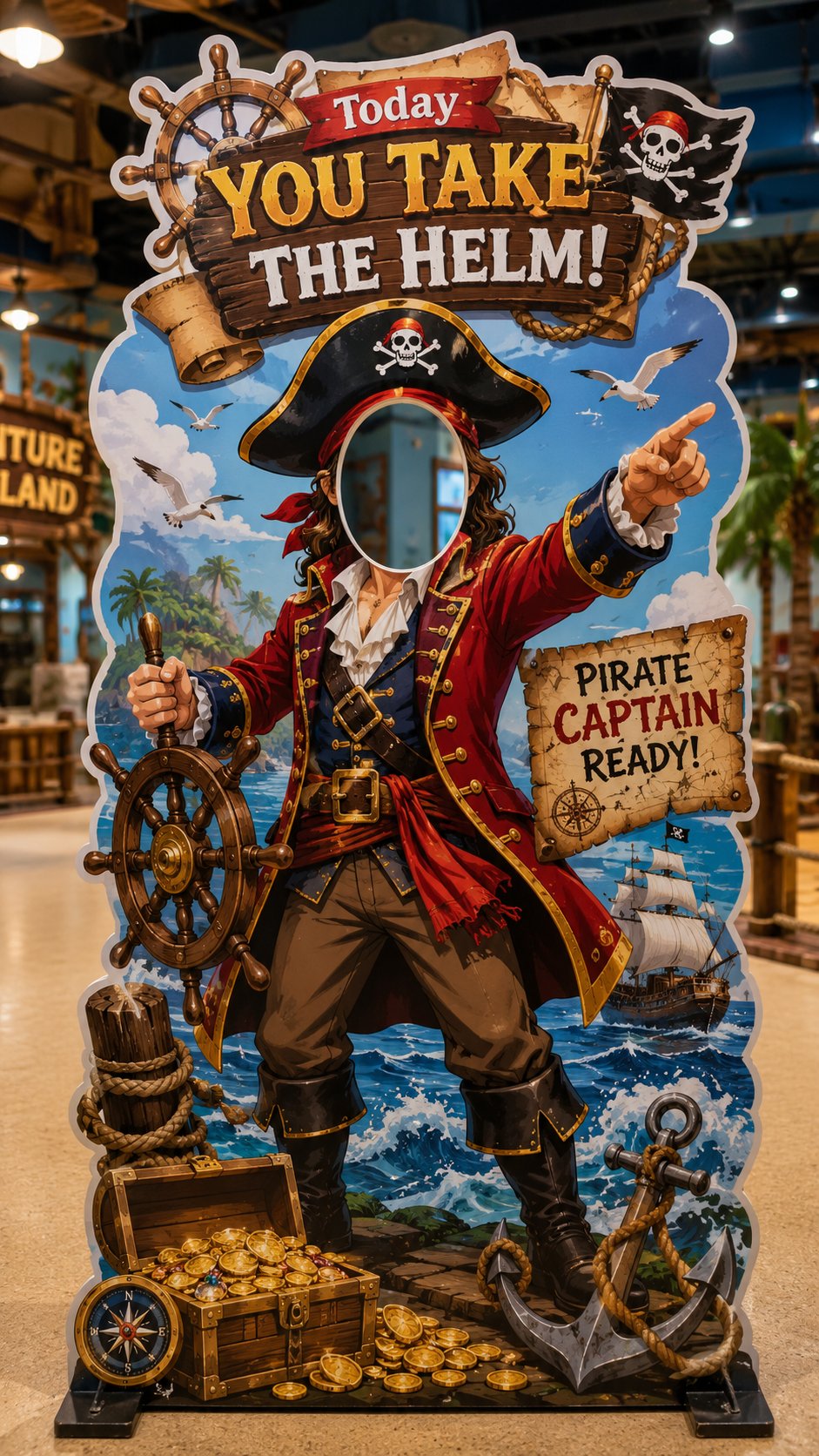
Create a vertical 9:16 “interactive face-in-hole die-cut photo standee” for a real store, theme space, pop-up event or family-friendly venue. Theme: [theme, e.g. little astronaut / dessert chef / pet groomer / pirate captain / firefighter / explorer / princess / zookeeper] Venue type: [kids’ playground / dessert shop / pet store / theme park / mall event / family restaurant / pop-up booth] Role concept: [what the visitor becomes after putting their face into the cutout] Main slogan: [short fun slogan, e.g. “Today you go to the moon!” / “You’re the dessert chef!” / “You take the helm!”] Color palette: [main colors] Visual style: [cute / dreamy / adventurous / playful / premium / cartoon-realistic / family-friendly] Design requirements: * The image must show one full vertical 9:16 interactive standee. * The standee must have a clear face cutout / head hole where a real person can place their face for photos. * The face cutout should be in the upper-middle area, clean and unobstructed. * Design a complete role-play body under the cutout so the visitor looks like they become the character. * Use a bold die-cut outline, thick white border, and realistic printed standee material. * Add oversized props and themed elements around the body to make the standee fun and photogenic. * The overall shape should be irregular and playful, not a simple rectangle. * Include a strong top slogan, a few small decorative labels, and themed visual details, but avoid overcrowding. * The standee should feel like a real photo-op installation placed inside a store or event space. * Show the full standee standing on the floor with a stable base. * Background should be a simple real venue scene, softly blurred, not distracting. * Make it bright, clear, colorful, polished and highly shareable. * The final result should look like a real interactive photo booth prop that people would want to pose with and post on social media. Avoid: ordinary poster design, flat banner layout, no face cutout, messy text, overly crowded information, dark lighting, unrealistic structure, hidden standee base.